01
Arithmetic you can follow
- Exact integer and rational arithmetic
- Scientific notation and expression precedence
- Basic units and opt-in complex arithmetic
 Superzenic
CalcZen
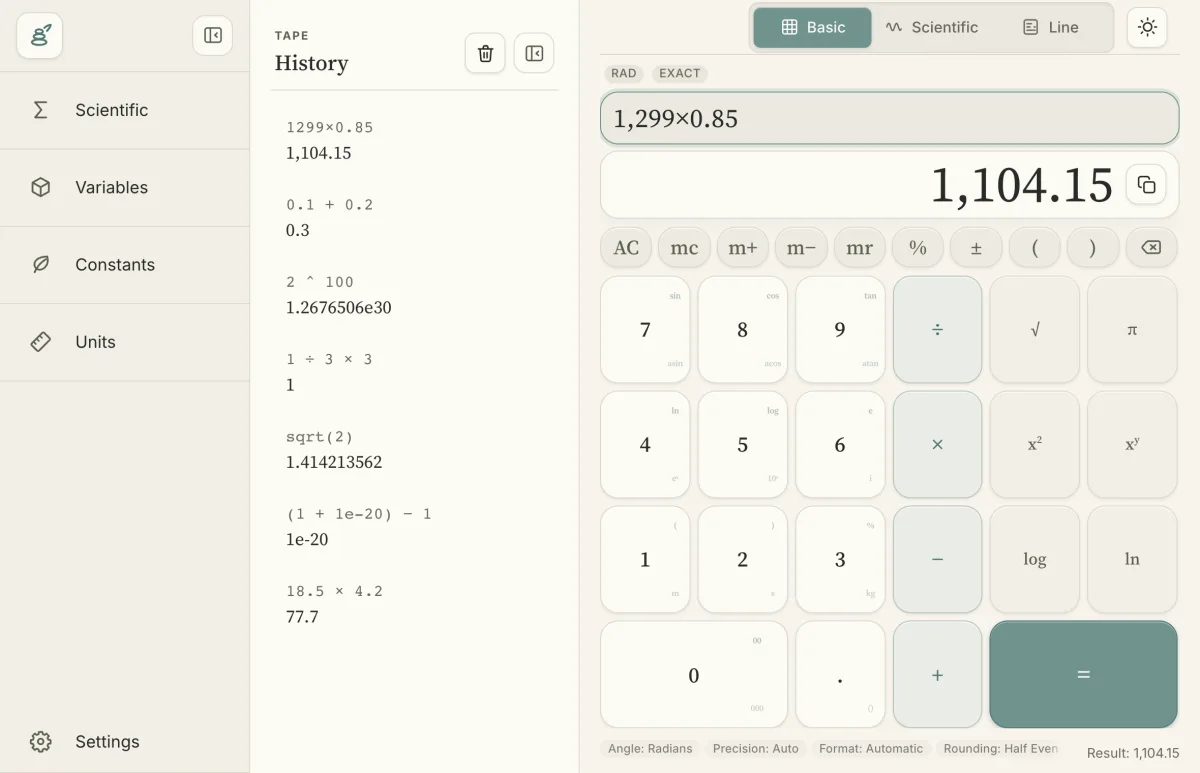
A quiet, keyboard-friendly calculator with exact arithmetic, a visible tape, and room for everyday and technical work.
01
02
03
Silent product demonstration using synthetic data.
Clear conditions
Try full features for 14 days. No payment card required.
USD 10.00 once
One installation per platform · future updates included
All versions.
Choose one-timeSales open after launch checks. First paid purchase: 14-day refund window from your first device activation (at most 30 days after payment). Mandatory rights remain unaffected.
One active installation per platform; one Linux distribution at a time.
Personal and commercial use have the same rights. Future updates are included while the business operates.
Paid features require an online validation at least every seven days. Free features remain available after paid access expires.
Desktop sales launch first. Mobile entitlement support is being prepared; mobile-store availability is not announced.
Exact arbitrary-size integers and rational numbers, scientific notation, explicit multiplication and expression precedence. Structured recovery errors help you correct input. Use the desktop calculator or the command-line one-shot, piped-input and REPL workflows.
Copy results, recall or clear memory, add or subtract from memory, switch Basic/Scientific/Line modes, and toggle History and tools with keyboard shortcuts. Desktop panes collapse independently; the interface supports light/dark themes and reduced motion.