01
Connect your work
- Multiple cloud providers and accounts
- One-way and bidirectional sync
- Real-time watching and scheduled sync
 Superzenic
SynciZen
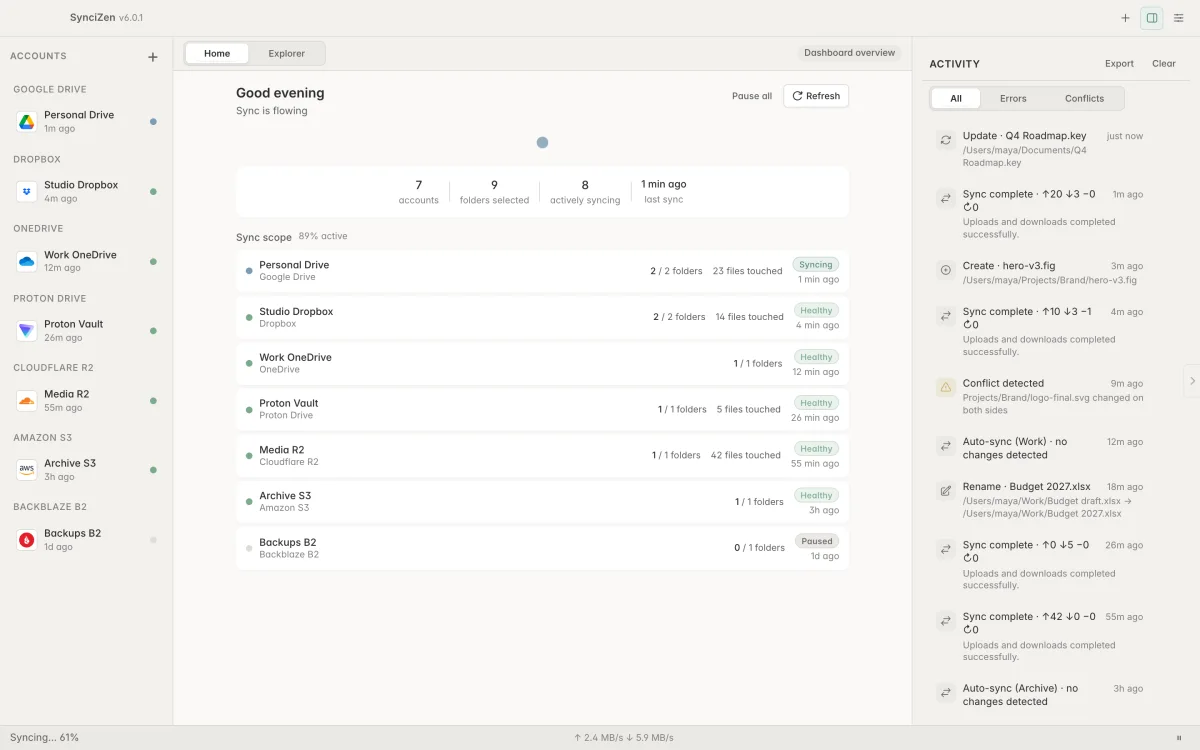
Bring cloud accounts into a desktop workspace with sync previews, conflict controls, and recovery tools.
01
02
03
Silent product demonstration using synthetic data.
Clear conditions
Purchase, downloads, support, trials, and license conditions are handled at syncizen.com.
Connect Google Drive, OneDrive, Dropbox, Proton Drive, Box, pCloud, Mega, Yandex Disk, Amazon S3, Cloudflare R2, Wasabi, Backblaze B2, Azure Blob and SFTP, with multiple accounts. Choose bidirectional sync or one-way Mirror, Archive and Add-only deletion policies. Provider capabilities and requirements vary.
Preview creates, updates and deletes before execution. Use timestamp-based or hash-assisted change detection, compare conflicting files, and keep either side, both sides, or the newest version. A write-ahead journal, configurable local trash, deletion threshold and last-batch undo support recovery.
Use per-pair filesystem watching, periodic schedules, startup sync and global pause/resume. Built-in and custom ignore patterns, per-event notifications, upload/download limits, metered-connection pause and performance profiles let you adjust behavior. CLI and daemon modes support automation.